“$14.90 per seat” is the number that makes a team plan look simple, and it is only true under one condition: every seat is filled. A shop owner comparing repair information plans needs to see the whole thing — what a single seat gets, what the account adds on top, what the contract locks in, and when a team plan is the wrong buy. This page lays out all of it for Jayda’s Business plan, using the published plan terms and straight arithmetic.
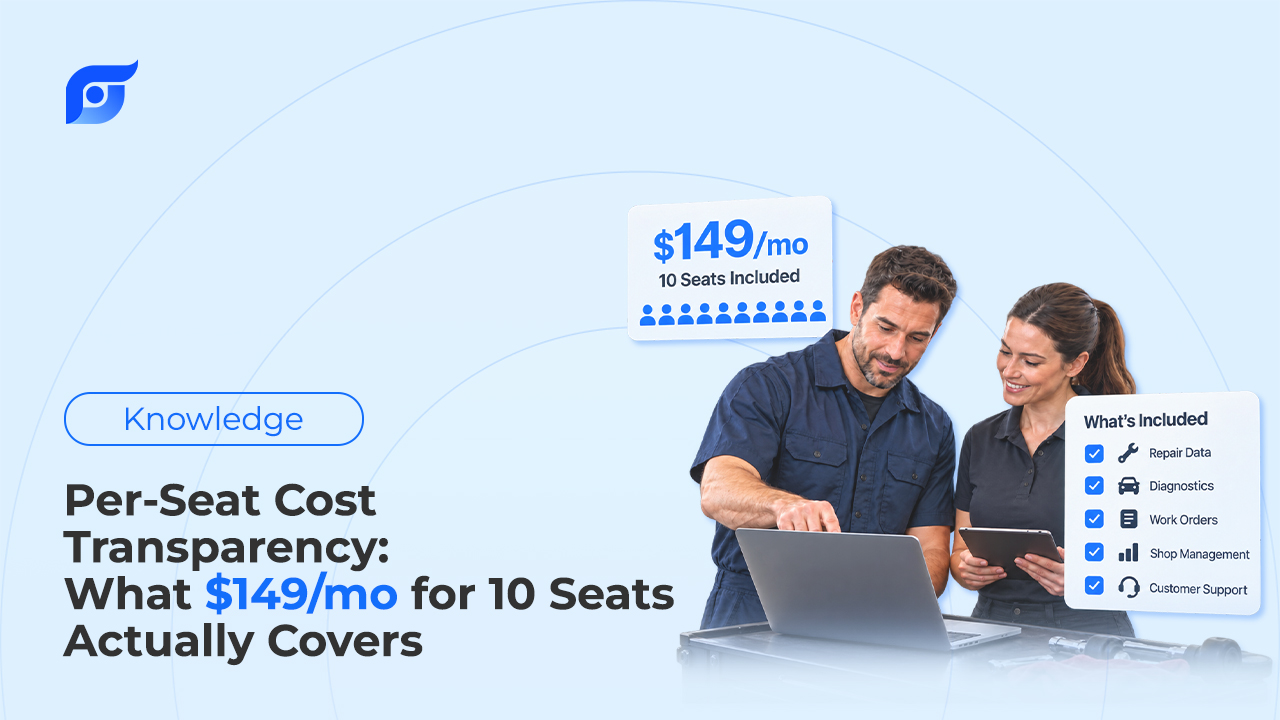
Quick Answer: Jayda’s Business plan costs $149 per month on a 12-month agreement ($1,788 per year), which works out to $14.90 per seat when all 10 team seats are filled. The price is flat, so the per-seat cost rises when fewer people use it: $29.80 per seat with 5 users. Each seat is an individual login with unlimited queries and all 12 OEM data features sourced from MOTOR Information Systems. The account adds Vehicle Management for up to 200 vehicles, a Team Manager, project sharing across the team, and priority support. The agreement is billed monthly and cannot be cancelled mid-term. A 7-day Business trial is available and is activated through the Jayda team rather than self-serve signup.
How Does $149 a Month Break Down Per Seat?
Business is a flat-fee plan, not per-seat billing. The monthly charge is $149 whether two technicians log in or ten, so the real cost per person depends on how many seats the shop actually uses.
| Seats in use | Cost per seat, monthly | Cost per seat, per year |
|---|---|---|
| 10 | $14.90 | $178.80 |
| 8 | $18.63 | $223.50 |
| 6 | $24.83 | $298.00 |
| 5 | $29.80 | $357.60 |
| 3 | $49.67 | $596.00 |
Count people who will open it on real repair orders, not people who could have a login. A service advisor who checks a labor time twice a week is a seat; a part-time porter who never looks anything up is not. That count, not the headline $14.90, is the number to budget against.
What Does Each Seat Include?
A seat is one named person with individual credentials. Jayda’s Terms of Service require individual logins for Business team seats and prohibit shared logins, so ten seats means ten people, not one password passed around the bay.
Unlimited queries, with one boundary worth knowing
Every Business seat has unlimited queries per month, with no monthly cap and no rollover math to track. Jayda does apply per-user daily request limits, which exist to prevent bulk extraction of the licensed OEM data rather than to ration normal repair lookups. A technician asking questions across a full day of jobs is the use case the plan is built for; a script pulling procedures in volume is what the limit stops.
All 12 OEM data features
Each seat gets the full feature set, the same 12 that Pro Tech includes: OEM repair procedures, specifications and torques, wiring diagrams, component locations, diagnostic trouble codes, labor time estimates, fluids and capacities, maintenance schedules, technical service bulletins, recalls, OEM parts data, and part vector illustrations. If the distinction between OEM repair information and aftermarket reference content is still an open question for your team, settle it before comparing prices, because the plans on the market are not selling the same thing.
The data is sourced from MOTOR Information Systems, a Hearst company operating since 1903, and covers 43 manufacturers from 1985 to 2026. Two features tend to earn their keep fastest on a team plan. OEM wiring diagrams matter most when the shop’s electrical work is spread across several techs, and MOTOR labor times matter to whoever writes the estimate, because a quote built on a remembered number puts the margin at risk before the job starts.
Cited answers, not generated ones
Jayda’s AI searches and retrieves OEM content; it does not write repair steps. Every result shows the source document, and when a procedure is not in the database, Jayda says so instead of filling the gap. On a team plan this matters more than on a solo one: ten technicians reading AI-written procedures would be ten chances for an invented torque value to reach a vehicle, which is the reason behind Jayda’s decision never to generate repair procedures.
What Does the Account Cover That a Single Seat Doesn’t?
The per-seat math only captures part of the price. Four things in the Business plan belong to the account as a whole, and none of them exist in the individual plans.
| Account-level feature | Business | Pro Tech (individual) |
|---|---|---|
| Vehicles managed | Up to 200 in Vehicle Management | 1 vehicle profile in My Garage |
| Team administration | Team Manager: create, edit, and remove members | Not available |
| Projects shared with the team | Yes, up to 10 members | Private only |
| Priority support | Included | Not included |
Project sharing is the feature most likely to change how a shop works. A Project holds the saved questions and answers, uploaded images, and vehicle owner information for one job. On Business, a Project can stay private or be shared with chosen team members, so a lead tech can see exactly which TSB a junior tech already pulled on a comeback instead of starting the lookup again. Knowing whether a documented fix is a TSB or a recall is worth recording once, where the whole team can read it.
What Does the 12-Month Agreement Commit You To?
The contract terms are where a flat-fee plan can surprise a buyer, so here they are without softening:
- Term: 12 months minimum, billed $149 per month, for a total commitment of $1,788.
- Cancellation: not available during the contract term. Business has no month-to-month option.
- Renewal: subscriptions auto-renew unless cancelled before the renewal date.
- Price changes: Jayda gives at least 30 days’ notice by email before a price change takes effect.
- Outgrowing 10 seats: teams that need more than 10 users, API access, or custom integrations move to Enterprise, which has custom pricing and limits set in a separate written agreement. Under Jayda’s Terms of Service, plan upgrades take effect immediately and are prorated.
Billing monthly under an annual agreement is a different thing from prepaying for a discount. Starter and Pro Tech customers can pay monthly and cancel, or prepay a year to save; a Business customer is committed to the full year regardless of how the payments are spaced.
When Is Pro Tech the Better Buy?
For raw lookup access alone, individual Pro Tech plans can cost less than Business. Pro Tech includes the same 12 OEM features and unlimited queries, and its annual price is $56.95 per person per year.
| Setup | Yearly cost | What’s missing vs. Business |
|---|---|---|
| Business, 10 seats | $1,788 | — |
| 10 Pro Tech plans, monthly | $1,794 ($149.50/mo) | Team Manager, shared Projects, 200-vehicle management, priority support; billed separately per person |
| 10 Pro Tech plans, annual prepay | $569.50 | Same as above, paid upfront per person |
| 3 Pro Tech plans, annual prepay | $170.85 | Same as above |
Ten Pro Tech plans on monthly billing cost $0.50 a month more than one Business plan and include none of the team features. Ten Pro Tech plans on annual prepay cost $1,218.50 a year less than Business, and that gap is the real price of the account-level features in the previous section.
That makes the decision a practical one. A shop with two or three techs who each look up their own jobs and never hand work off may be better served by individual Pro Tech plans. Business earns its price when the shop manages many customer vehicles in one place, shares job history between techs, needs one owner controlling who has access, or wants priority support on a tool the whole floor depends on.
How Much Lookup Time Would Cover the Plan?
Break-even is simple division, and it uses your shop’s labor rate, not a promise about time saved. The 2025 PartsTech State of General Auto Repair Shops report, cited by AAA, found that almost half of shops price labor between $120 and $159 per hour. Tekmetric’s labor rate index, built on data from more than 10,000 shops, puts the U.S. average at $132 per hour.
| Shop labor rate | Billed time that equals $149/month | Per tech, with 10 seats |
|---|---|---|
| $120/hr | ~75 minutes per month | ~7.5 minutes per month |
| $132/hr | ~68 minutes per month | ~6.8 minutes per month |
| $159/hr | ~56 minutes per month | ~5.6 minutes per month |
These are estimates, and they carry an honest condition: recovered lookup time only covers the plan if it turns into billed hours. In a shop with a backed-up lot, time a tech stops spending in menus goes straight to the next repair order. In a slow week, it may not. The hidden cost of searching before every repair order is real, but it is shop-specific, so run the table with your own rate and your own bay count rather than trusting anyone’s average.
The better input for that math is observation. Before the trial, note how often your techs stop to look something up and how they do it now; where that lookup time actually goes is usually menu paths, the wrong year or engine selection, and walking back to the desk, not the reading itself.
What Should You Check During the 7-Day Business Trial?
The Business trial runs 7 days and is activated through the Jayda team rather than self-serve signup. If it converts to a paid plan, the 12-month agreement starts. Seven days is short, so go in with a plan:
- Run your own VINs. Pull the VINs of the vehicles your shop sees most and confirm coverage for each one before the team relies on it.
- Put it on live repair orders. Have each tech who would hold a seat use it on real jobs that week, not on test questions.
- Check the source on every answer. Open the cited OEM document behind a few results. Your techs should see search that retrieves the manufacturer’s page, not generated text.
- Count the seats that got used. Divide $149 by the number of techs who actually opened it, and compare that figure against the Pro Tech table above.
- Test the team features. Share a Project on a real comeback and add vehicles to Vehicle Management. If nobody uses either, that points toward Pro Tech.
For a broader framework on weighing any repair information platform, including data source, coverage, and how answers are delivered, see how to choose OEM repair software for a shop. The per-seat number is where the comparison starts; what those seats get, and whether the shop will use them, is where it gets decided.