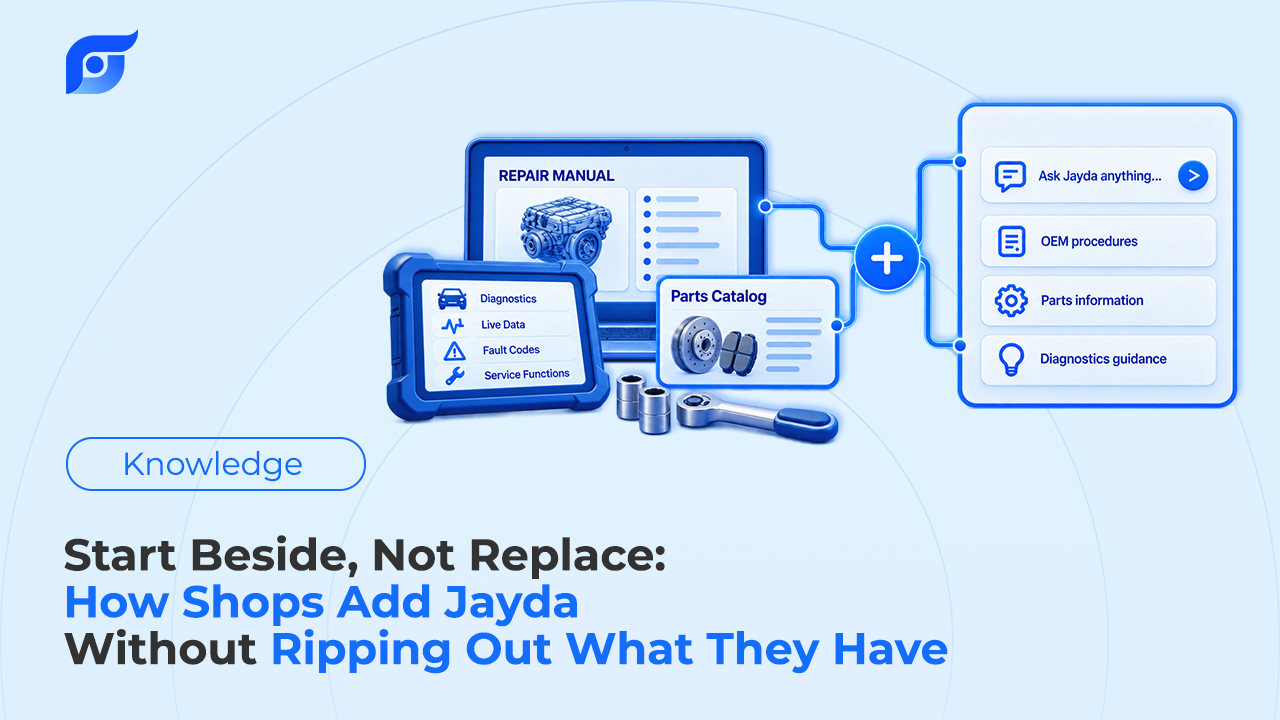
Most independent shops already pay for a repair information system, and in many of them it is wired into the estimate, the repair order, and the parts order. Pulling that out to try something new is a bad trade, and nobody should ask a shop owner to make it. Jayda is built to be added next to what a shop already runs: one more way for a tech to reach OEM repair information at the vehicle, tested on real jobs before anyone decides anything bigger. This guide covers what stays where it is, what Jayda does alongside it, and how to roll it out in stages.
Quick Answer: A shop can add Jayda without changing its current repair information or shop management system, because Jayda does a narrower job: a technician asks a repair question for a specific vehicle and gets the cited OEM document back, with data licensed from MOTOR Information Systems. Estimates, repair orders, invoicing, and any labor or parts integrations stay in the systems that run them today — Jayda’s Business plan does not connect to shop management software. The lowest-risk path runs in three stages: one technician on Pro Tech ($14.95/month, cancel anytime) to test it on real jobs, then a 7-day Business trial for the team, then a decision based on how many techs actually used it. Business costs $149/month on a 12-month agreement, so make that call on usage, not on a first impression.
What Stays Exactly Where It Is?
Repair information and shop management are two different purchases, and in most shops they are connected. Shop management software handles repair orders, estimates, invoices, scheduling, and customer history. Repair information supplies the procedures, specs, diagrams, TSBs, and labor times. Many shop management platforms, including Tekmetric, Shopmonkey, Shop-Ware, AutoLeap, and Protractor, integrate with Mitchell 1 ProDemand or ALLDATA, so labor times and parts can flow into the repair order without retyping.
That integration is a legitimate reason to keep the current setup, and Jayda does not change it. Adding Jayda leaves all of the following untouched:
- Estimates and repair orders, including any labor-time or parts integration your shop management system already uses.
- Customer and vehicle history, which stays in the system where it was recorded. Nothing has to be exported or migrated.
- Your existing repair information subscription, on its current terms, until you decide otherwise.
If your team is still weighing which platforms belong in the stack at all, this overview of repair information websites for mechanics lays out what each type of tool is built to do.
What Does Jayda Do Alongside It?
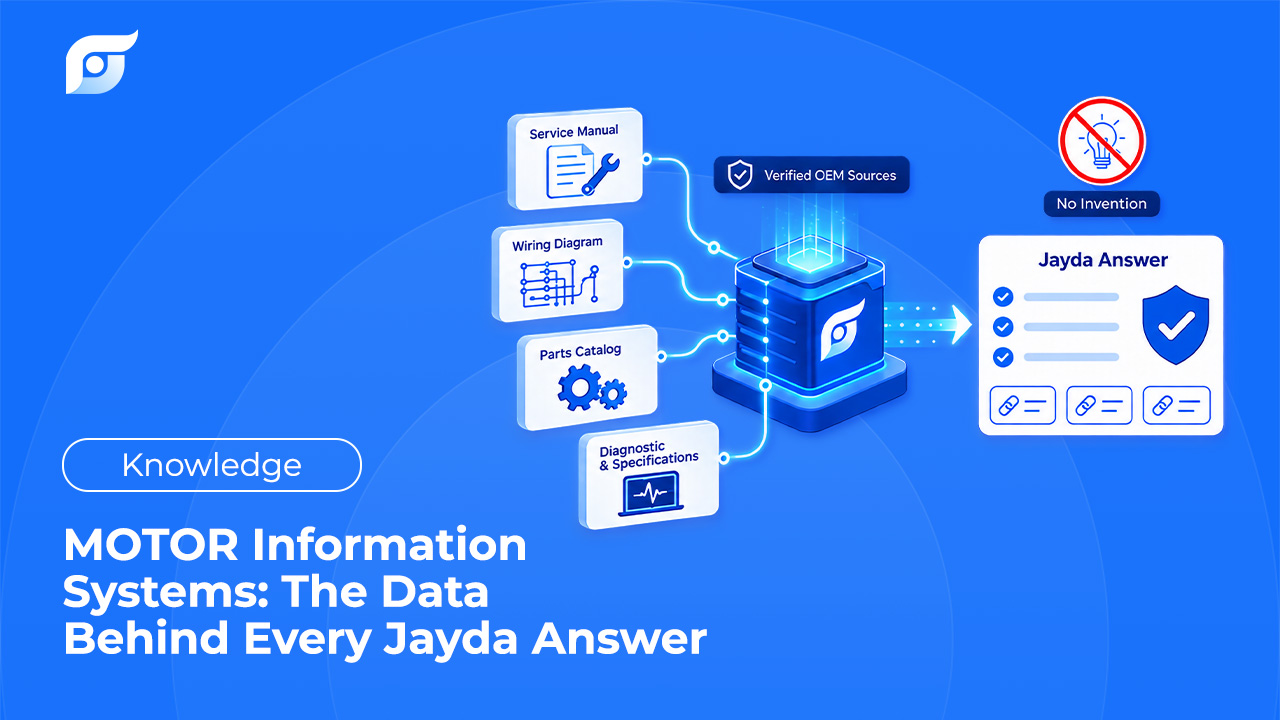
Jayda handles one moment in the repair: the tech needs a specific answer for the vehicle in the bay and doesn’t want to navigate a library to find it. The tech asks the question the way they’d ask another tech, such as “cam phaser replacement procedure, 2018 F-150,” and Jayda returns the matching OEM document with its source shown. The data is licensed from MOTOR Information Systems, a Hearst company operating since 1903, and covers 43 manufacturers from 1985 to 2026.
| Job in the shop | Where it stays | What Jayda adds |
|---|---|---|
| Writing estimates and repair orders | Shop management system | Nothing. Jayda has no shop management integration on Business |
| Pushing labor times and parts into the RO | Your integrated repair information product | MOTOR labor times a tech or advisor can look up and read |
| Finding a procedure, spec, or diagram at the vehicle | Either system | Ask the question, get the cited OEM document for that vehicle |
| Recording a job’s lookups for the team | Varies by system | Projects that hold saved answers, images, and owner info, shareable with up to 10 team members |
| Tracking the shop’s vehicles | Shop management system | Vehicle Management for up to 200 vehicles, separate from your customer records |
The gap Jayda targets is time, not data. Your current system probably has the procedure. The question is how long it takes a tech to reach it, which is where most lookup time actually goes: menu paths, the wrong engine selected, and trips back to a shared terminal.
What Are Owners Actually Worried About, and What Answers Each Concern?
“What if the AI makes something up?”
This is the right concern to start with, because an invented torque value is a comeback and a liability. Jayda’s AI searches and retrieves OEM content; it does not write repair steps. Every result shows the source document, and when a procedure is not in the database, Jayda says so instead of filling the gap. That policy, explained in why Jayda never generates OEM repair procedures with AI, is also something you can check yourself: during any trial, open the cited document behind a handful of answers and confirm it is the manufacturer’s page for the right vehicle.
“Is this just another subscription?”
It is a subscription, and it has to pay for itself in billed time. The break-even is simple division. At Tekmetric’s U.S. average labor rate of $132 per hour, Business at $149/month equals about 68 billed minutes a month across the whole shop, and Pro Tech at $14.95/month equals about 7 billed minutes. Those are thresholds, not promises. Recovered lookup time only becomes revenue when there is another repair order waiting, and the cost of searching before each repair order varies from shop to shop, so run the math with your own labor rate.
“Will my techs actually use a second tool?”
Some will and some won’t, and a staged rollout tells you which before you commit. Jayda has no menu tree to learn, since the tech just asks, but habits around the current system are real and deserve respect. Techs also worry about something owners don’t always see: a tool that seems to do their thinking for them. The honest framing is that AI’s job in the bay is finding the page, not making the diagnosis. The tech still owns the call.
“Do we lose our records if we try it?”
No. Nothing moves out of your shop management system. Jayda only holds what your team adds to it, such as vehicles in Vehicle Management and notes in Projects. If you stop using Jayda, your repair orders and customer history are where they always were.
“What am I signing up for?”
This depends on the plan, and it is the one place where the answers differ sharply:
- Pro Tech is an individual plan at $14.95/month. Pay monthly and cancel anytime, or prepay annually at $56.95/year. A 3-day self-serve trial with 5 questions is available.
- Business is $149/month on a 12-month agreement ($1,788 total), with up to 10 team members, and it cannot be cancelled mid-term. A 7-day trial is available and is activated through the Jayda team rather than self-serve signup.
Because Business locks in a year, the trial week is where the decision gets made. Treat it as a test with a plan, not a demo.
How Should a Shop Roll Jayda Out?
Stage 1: One technician, real jobs
Start with the tech who already looks things up most, often the lead tech or whoever handles electrical and diagnostic work. On a Pro Tech plan they can use Jayda beside the current system for a few weeks on live repair orders, with a monthly bill and no lock-in. Give them a short list of lookup types to try:
- Torque specs and fluid capacities for today’s jobs
- Wiring diagrams and component locations on an electrical fault
- DTC definitions and test procedures on a diagnostic ticket
- Whether a technical service bulletin already covers a customer’s complaint
- Labor times, checked against what the estimate used
Ask for one thing in return: a note each time Jayda was faster, slower, or couldn’t find the answer. Those notes are more useful than any sales demo.
Stage 2: A 7-day team trial
If the first tech keeps reaching for it, the next question is whether the rest of the floor will. The Business trial runs 7 days. Before it starts, pick the techs who would hold seats, pull the VINs of the vehicles your shop sees most, and confirm Jayda covers them. During the week:
- Use it on live repair orders, not test questions.
- Keep the current system open. The point is to compare, so techs should use whichever tool answers faster.
- Check sources. Open the cited OEM document behind a sample of answers. The content should be OEM repair information for the exact vehicle, not a paraphrase.
- Share one Project on a real job so the team sees what a saved, shared lookup looks like.
- Count who used it. The number of techs who opened it on real work is the number that matters for the seat math.
Stage 3: Decide on evidence
At the end of the trial there are three honest outcomes:
- Keep both. The current system stays for estimates and integrations, and Jayda becomes the at-the-vehicle lookup tool. This is the natural result for shops whose current product is wired into their repair orders.
- Keep the individual plan only. If one or two techs used it and the rest didn’t, Pro Tech plans for those techs may fit better than Business.
- Stop. If techs kept going back to the current system and Jayda didn’t save time, that is a valid result, and the trial did its job.
Whether the current subscription still earns its full cost is a separate question. It belongs at that product’s own renewal date, after months of real usage data, not in the first week. Any review should weigh what the shop’s estimates depend on, including OEM labor times flowing into the repair order. For a structured way to weigh data source, coverage, and how answers are delivered, see how to choose OEM repair software.