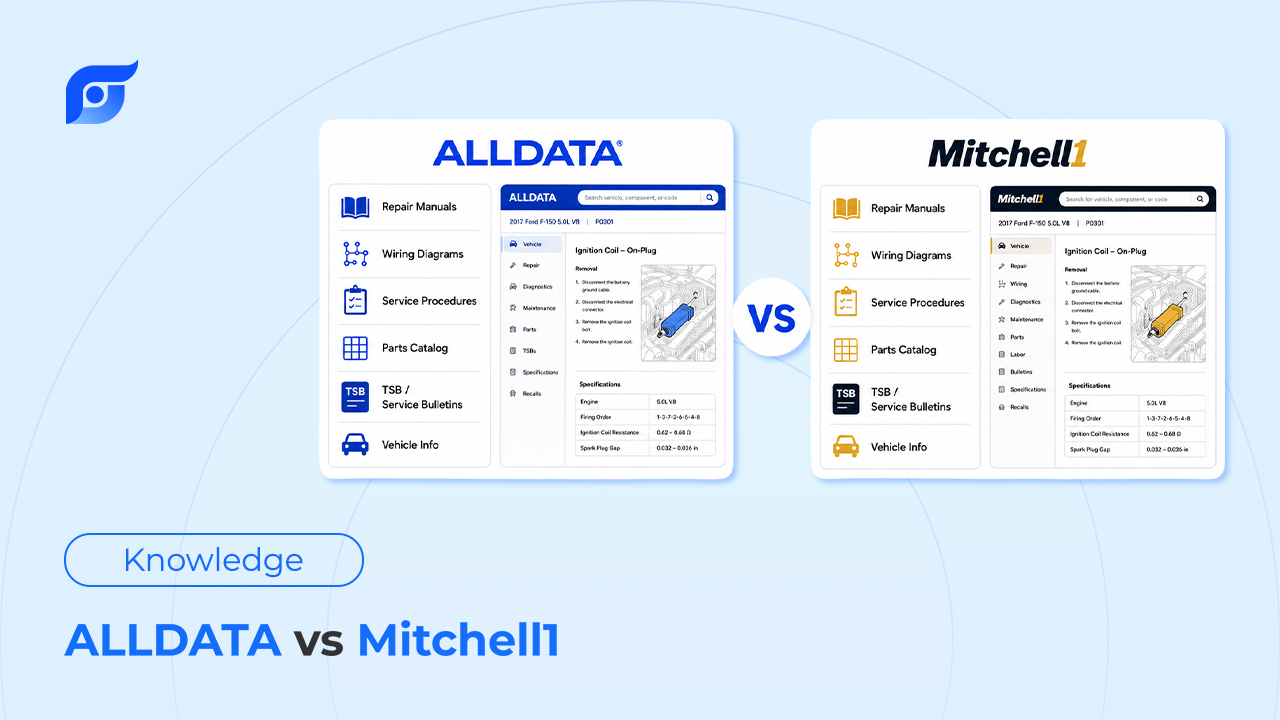
Quick verdict: Choose ALLDATA if you want the closest thing to the manufacturer’s original, unedited service documentation. Choose Mitchell 1 ProDemand if you want repair data bundled with shop management and estimating in one system. Both are strong, both are expensive, and both still make you dig for the answer — which is where the last section of this article comes in.
The Core Difference: How Each One Handles OEM Data
The split between these two starts with how they treat the manufacturer’s original documentation.
ALLDATA keeps OEM content close to its original form. What you see is closer to what the manufacturer actually published — same structure, same wording, same layout logic the factory used.
Mitchell 1 takes OEM and aftermarket data and re-compiles it into a standardized structure so that a Ford procedure and a Toyota procedure follow the same layout pattern. That consistency helps techs who bounce between makes all day, but it also means you’re reading Mitchell’s interpretation of the manufacturer’s document, not the document itself.
Neither approach is “wrong” — it’s a genuine tradeoff between original fidelity and cross-brand consistency.
Head-to-Head Feature Comparison
Wiring Diagrams
This is the comparison techs argue about most. Mitchell 1’s diagrams are interactive — click a wire and the whole circuit highlights, which makes tracing a single path easier on complex schematics. ALLDATA’s diagrams use a horizontal layout that lets you scroll continuously across a schematic when zoomed in, instead of losing your place scrolling up and down the way you sometimes do in Mitchell.
Neither wins outright. Techs who work a lot of electrical diagnostics often prefer Mitchell’s click-to-highlight; techs who spend more time zoomed into a single dense diagram tend to prefer ALLDATA’s layout.
Search & Navigation
Across forums like r/mechanics and technical communities like ScannerDanner’s, the general consensus is that ALLDATA is a bit easier to navigate when you’re hunting for a specific, less-common document — its menu logic is more predictable. Mitchell 1 packs in more diagnostic shortcuts, but the interface can feel busy until you’re used to where things live.
Either way, you’re still clicking through a document tree to get to the answer — that’s true of both.
Estimating & Shop Management
Mitchell 1 has the edge here: ProDemand pairs repair data with integrated estimating and shop management tools, so labor times, parts, and the repair procedure live in one workflow. ALLDATA’s strength stays focused on the repair library itself; estimating and shop management typically mean a separate tool or add-on.
If you want one system running quotes and the bay, that’s a point in Mitchell’s favor. If you already have a shop management system you like and just need the best repair library, that’s less relevant.
Pricing & Contracts
Both are priced at the premium end of the category, and neither publishes simple self-serve pricing — getting a real quote for either one typically means a call with sales. If cost transparency matters to you, that’s worth factoring in before you commit to either.
The Shared Limitation: Both Are Still Search-First, Not Answer-First
Here’s the part that doesn’t show up in most “vs” comparisons: however you score ALLDATA against Mitchell 1 on wiring diagrams or navigation, both systems are built around the same basic model. You go find the document. You click through menus, open a PDF, scroll to the section you need, and confirm you’re looking at the right year/engine/trim.
That’s not a knock on either product — it’s how repair information software has worked for decades, and the OEM data underneath both is genuinely solid. But it means the real bottleneck in a busy bay usually isn’t which of the two has better diagrams. It’s the minutes spent getting to the diagram at all, with your hands already dirty and the vehicle on the lift.
Jayda — Get the Answer Without Choosing a Side
Jayda isn’t trying to replace the decision between ALLDATA and Mitchell 1 — it’s built for the problem both of them share: getting from “I need this spec” to actually having it, without navigating a menu tree first.
Instead of searching, you ask — the same way you’d ask the most experienced tech in the shop:
“BMW X5 2019 steering angle sensor reset procedure”
Jayda returns the OEM procedure for that exact vehicle, cited to its source, built on licensed MOTOR data covering domestic and imported vehicles, light through heavy-duty. It covers the same kind of content you’d go looking for in either database — component locations, DTC test procedures, torque specs, wiring diagrams, TSBs — just reached by asking instead of clicking.
Worth being direct about the boundary here: Jayda finds and cites the OEM procedure or test sequence for a DTC. It doesn’t diagnose the vehicle for you, and it doesn’t generate troubleshooting logic of its own — the AI retrieves what the manufacturer published; the tech still makes the call. Ask once. Know the OEM procedure.
This isn’t an either/or with what you’re running today. If your shop already has ALLDATA or Mitchell 1, keep it — use Jayda for the lookups that used to cost you five or six clicks, and see how it changes your day before you reconsider anything else.
Comparison Table: ALLDATA vs Mitchell 1 vs Jayda
| ALLDATA | Mitchell 1 ProDemand | Jayda | |
|---|---|---|---|
| Data model | Unedited OEM documentation | OEM + aftermarket, standardized structure | Licensed MOTOR OEM data, cited per answer |
| How you search | Browse/search menus | Browse/search + diagnostic shortcuts | Ask in natural language |
| Wiring diagrams | Horizontal layout, continuous zoom-scroll | Interactive, click-to-highlight circuits | Retrieved instantly by AI search, cited |
| Shop management | Separate/add-on | Integrated | Not included — focused on repair data lookup |
| Mobile experience | Secondary to desktop | Secondary to desktop | Built mobile-first |
| Pricing | Sales call required | Sales call required | Starter $7.95/mo · Pro Tech $14.95/mo · Business $149/mo |
FAQ
Is ALLDATA or Mitchell 1 better for wiring diagrams? It depends on your workflow. Mitchell 1’s click-to-highlight circuits are easier for tracing one path in a complex diagram. ALLDATA’s horizontal layout is easier for scrolling through a schematic without losing your place. Many techs who’ve used both prefer ALLDATA’s layout for dense diagrams and Mitchell’s interactivity for isolating a single circuit.
Can I use ALLDATA and Mitchell 1 together? Some shops do run both, usually because different techs have different preferences or because one covers a gap in the other’s coverage for a specific make. It’s a valid approach if the cost works for your shop, though most independent shops standardize on one to avoid paying for two premium subscriptions.
Is there a faster way to search either one? Not within ALLDATA or Mitchell 1 themselves — both are built around menu navigation. Tools like Jayda take a different approach: instead of searching a library, you ask for the answer directly and get the cited OEM procedure back, without giving up either database if you’re not ready to.
Conclusion — Which One Should You Choose?
If original OEM fidelity matters most to your team, ALLDATA is the safer pick. If you want repair data bundled with estimating and shop management in one workflow, Mitchell 1 has the edge. Neither is a bad decision — the real question is which tradeoff fits how your shop already works.
Whichever one you choose, the lookup time doesn’t have to be the cost of doing business. Ask Jayda your next real repair question and see how much of that click-through time disappears.