A 2019 F-150 can leave the factory with five different engines. The torque sequence on the intake, the wiring behind the dash, and the fluid capacity in the transmission can all differ between them — same year, same nameplate, same trim badge on the tailgate. A question that doesn’t account for which one is actually on the lift isn’t answered yet. It’s answered for the wrong truck.
That’s the problem vehicle-matching exists to solve, and it starts before the first question ever gets asked — at the point a vehicle gets added to the garage.
Why the Same Question Needs a Different Answer
Two vehicles sharing a nameplate don’t share a spec sheet. Connector pinouts change between model years of the same car, and sometimes between trims in the same year — a mid-cycle refresh or a different module supplier can shift a pinout without changing anything printed on the vehicle. A torque spec, a fluid capacity, a wiring diagram — all of it is scoped to the exact configuration, not the nameplate.
Which means the accuracy of an OEM answer depends entirely on how well the vehicle behind the question is actually identified. Get that wrong, and a correct-looking answer for the wrong engine is worse than no answer at all.
How a VIN Locks In the Match
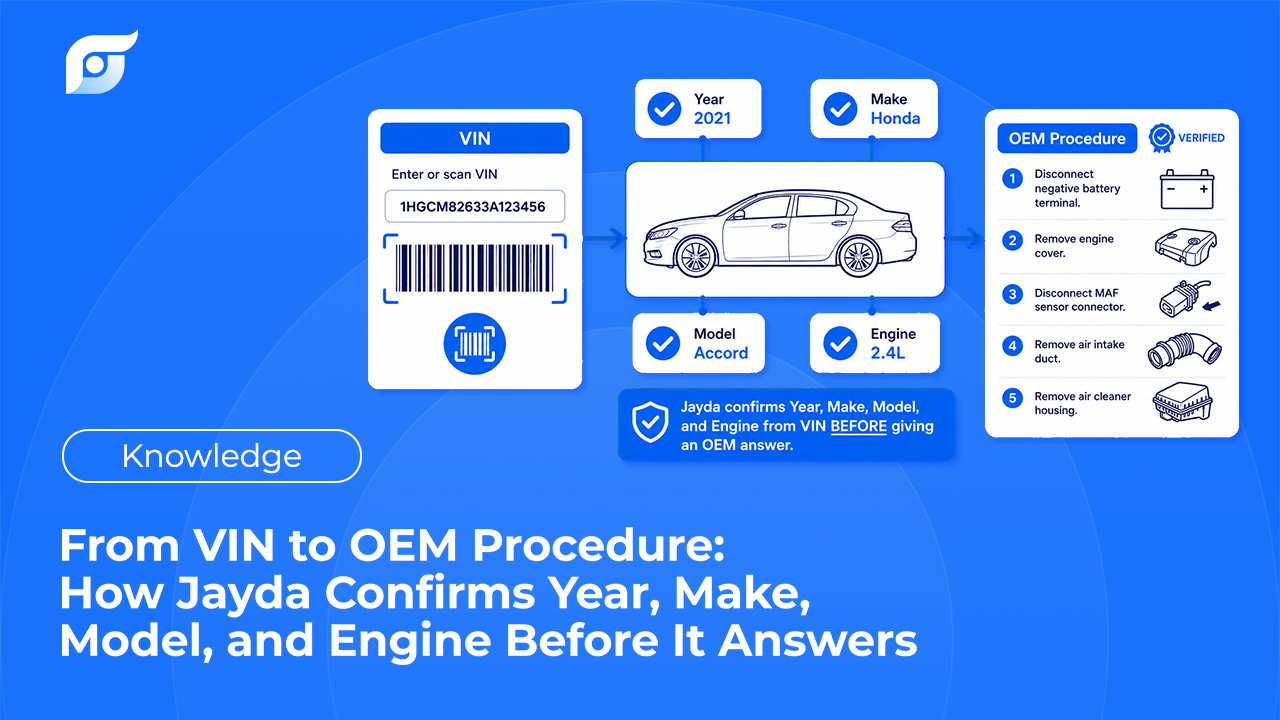
Adding a vehicle to Jayda starts with a choice: search by VIN, or search by year, make, and model. Enter the VIN, and the submodel and engine auto-fill from the decode — no picking the closest-sounding trim and hoping it’s right.
That match then locks. Once the submodel and engine are filled in from a VIN, they’re not editable afterward — a deliberate constraint, not a missing feature. The match came from the vehicle’s own VIN, not a guess a tech could second-guess later and quietly get wrong. The same VIN-matched accuracy applies to component location diagrams — filtering out the wrong configuration automatically, rather than asking a tech to confirm it themselves.
Right after a vehicle is added, there’s a short prep window — up to about a minute — while the vehicle’s data gets set up before it’s ready to use. It’s a small detail, but it’s a sign the match is doing something real, not returning a page instantly regardless of which vehicle was entered.
What Happens Without a VIN
A VIN isn’t required. A vehicle can be added by year, make, and model alone, with the submodel and engine picked manually instead of auto-filled.
What happens next is the part worth knowing: if body style, drive type, or transmission are left unselected, the vehicle profile stays “incomplete” — but Ask AI doesn’t get blocked. It still answers. What changes is the shape of the answer: instead of one result filtered to an exact configuration, it returns multiple variants, because there isn’t enough information yet to narrow to one. Jayda doesn’t quietly pick a variant and present it as certain — the same honest-boundaries principle that governs whether a procedure gets shown at all applies here too: if the match isn’t precise, the tool says so instead of guessing which trim you meant.
Filling in the remaining fields — body style, drive type, transmission — is what narrows an incomplete match down to one answer instead of several to sort through.
Why This Matters More the Deeper You Go
For a maintenance interval, a loose vehicle match barely matters — most trims share the same service schedule. For a torque sequence, a wiring diagram, or a DTC test procedure, it’s the difference between the right number and a wrong one that reads exactly as confident as the right one would have. That precision is the whole premise behind treating an answer as sourced rather than just searched — a citation only means something if it’s citing the procedure for the vehicle actually in the bay.
One Vehicle, Every Question
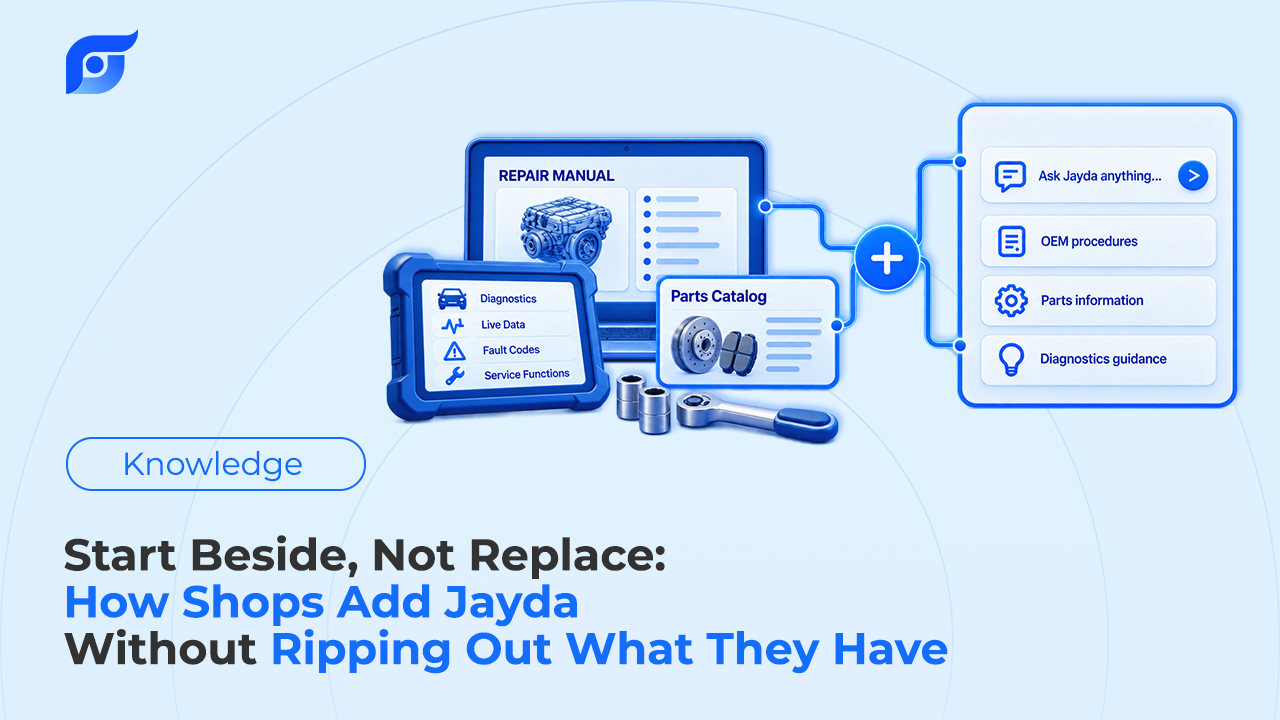
Once a vehicle is matched, that context carries across all 12 OEM data categories Jayda covers — a torque spec and a wiring diagram for the same vehicle both draw from the same locked-in match, not a fresh guess each time. For an individual tech, that’s one vehicle in My Garage per plan. For a shop, Business tier’s Vehicle Management covers up to 200 vehicles under the same matching logic, so the accuracy doesn’t depend on which vehicle in the shop’s fleet someone happens to be asking about.
Frequently Asked Questions
Do I need a VIN to use Jayda? No. Year, make, and model alone gets a vehicle added — VIN entry just adds automatic submodel and engine matching on top, instead of picking them manually.
What if I enter the wrong VIN? Submodel and engine lock in once they’re auto-filled from a VIN, so it’s worth double-checking the VIN before confirming. If it’s wrong, the vehicle needs to be re-added rather than edited after the fact.
If my vehicle profile is incomplete, is the answer I get wrong? Not wrong — less narrowed. An incomplete profile (missing body style, drive type, or transmission) returns multiple variants instead of one filtered result. Completing those fields is what narrows it down.
Does this work differently for a shop managing many vehicles? No — Business tier’s Vehicle Management applies the same VIN-to-match logic across up to 200 vehicles, so accuracy doesn’t depend on fleet size.
If you run a shop, contact us for a trial to see how vehicle matching holds up across your team’s fleet. If you’re a technician working solo, start a free trial and add your next vehicle by VIN before you ask your first question.