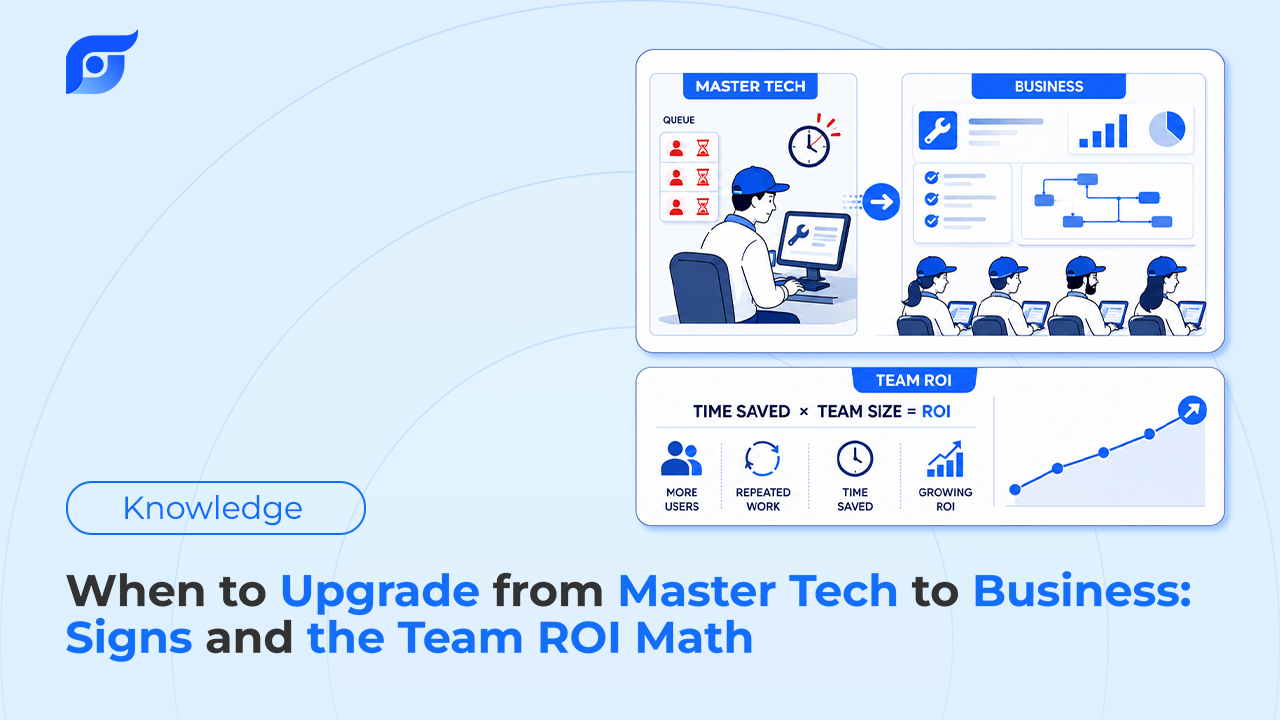
A mobile mechanic on Master Tech brings on a second tech to keep up with the job list — someone to take half the calls while the vehicle count keeps climbing. First week in, the new hire needs to look up a torque spec mid-job and reaches for the app. There’s no second login. Master Tech was built for one person working across a lot of vehicles, not two people working at the same time.
That’s usually the moment the upgrade question gets asked — but there are actually two different signals involved, and they don’t always show up together.
Two Different Signals, Not One
Running out of vehicle slots is a usage signal — a real ceiling on capacity that shows up in the numbers over time.
Needing a second login is a hard limit, not a soft one — Master Tech doesn’t include team seats at all, so this isn’t a “how much value is it worth” question. It’s a “can this plan do it” question, and the answer is no.
Either one on its own is worth checking. Together, they usually mean the plan’s outgrown, not just busy.
Signal 1: Hitting the 30-Vehicle Ceiling Before the Reset
Master Tech includes 30 vehicle slots that reset every month. For a mobile mechanic running a steady but bounded set of customer vehicles, that’s headroom, not a constraint. For an operation that’s grown — more calls, more repeat customers, a second route — hitting all 30 slots before the month resets is a direct usage signal that the account is capacity-constrained, independent of anything to do with team size.
Business removes that ceiling entirely: unlimited vehicles, no monthly reset to work around.
Signal 2: A Second Person Needs Their Own Login
This is the harder limit. Master Tech doesn’t list additional team seats — it’s built around one person and their vehicle volume. The moment work requires more than one person independently looking things up, the plan structurally can’t do it, regardless of how much or how little each person would use it.
Business adds up to 10 technicians on one account, with no per-user fee stacked on top of the flat rate. It also unlocks something MasterTech doesn’t have a version of at all: shared Projects, so a case file — saved questions, photos, notes on a specific vehicle — is visible to whoever on the team picks up that job next, not locked to whichever one person originally looked it up.
The Team ROI Math
Here’s where the math gets simple faster than it looks. Master Tech is $77.95/mo — for one person. Business is $149/mo flat, covering up to 10.
| People needing their own access | Cost on separate Master Tech accounts | Cost on Business |
|---|---|---|
| 1 | $77.95/mo | — (Maste rTech is designed for this) |
| 2 | $155.90/mo | $149/mo flat |
| 3 | $233.85/mo | $149/mo flat |
| 5 | $389.75/mo | $149/mo flat |
The crossover happens at exactly two people: two separate Master Tech accounts already cost more per month than one Business account that covers up to ten. That’s before counting that Business also removes the 30-vehicle ceiling and adds shared Projects — those come with the upgrade, not as a separate cost.
To be clear, this table isn’t describing a supported workaround — buying multiple individual Master Tech accounts for a team isn’t really what that plan is built for. It’s here to show why the math tips toward Business the moment more than one person needs real access, not to suggest stacking Master Tech subscriptions as a strategy.
What Else Comes With the Upgrade
Beyond removing the two hard limits above, Business adds dedicated onboarding and same-day support, plus the ability to request custom features — the kind of support that matters more once a team, not just an individual, depends on the tool daily. For the fuller breakdown of what Business includes against the cost of a traditional multi-seat setup, that’s covered separately in more depth.
Frequently Asked Questions
Should I upgrade if I only occasionally need a second person’s help? Not necessarily. If a second person is helping occasionally and doesn’t need to independently look things up — relaying a spec verbally is enough — that’s a different situation from someone who needs their own daily login.
Is Business overkill if I only have two technicians? Based on the math above, two technicians is already the break-even point against paying for two separate Master Tech accounts — so it’s not overkill, it’s close to the same cost with unlimited vehicles and shared Projects included.
Do I lose anything Master Tech-specific by upgrading? No — Business includes unlimited vehicles, which covers everything the 30-slot monthly reset did and removes the ceiling entirely.
How does this compare to the other plans overall? The full breakdown of Pro Tech, Master Tech, and Business covers how all three fit different work patterns, not just the upgrade path from Master Tech.
If either signal sounds familiar — a full vehicle list before the month resets, or a second person who needs their own login — contact us to walk through Business for your team.